Blogger now makes it easy to create Pages linked from your blog.
This feature lets you easily publish static information on stand-alone pages. For example, you can create an About This Blog page that discusses the evolution of your blog, or a Contact Me page that provides directions, a phone number, and a map to your location.
Here Steps:-
Step-1
Go To Dashboard of your Blogger Account and Click on your Blog layout

You create a page similar to how you write a blog post.
Step2:-
From Blogger click the Posting.

Step-3
Edit Pages tab

step-4
then click New Page.

(Note: you can create up to 10 pages.)
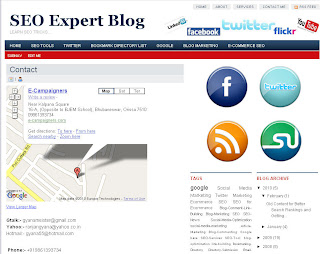
Once your page is published, you can link to it from the new Pageswidget. The Pages widget lets you add links to your pages as tabs at the top of your blog, or as links in your blog's sidebar.
In the Pages widget, you can decide which pages will be linked and in what order they will appear. You can also choose whether you want new pages to appear automatically in the Pages widget by checking or unchecking the box to the left of Add new Pages by default.

Finally, for those of you that have custom templates, your custom template may not automatically support Pages as horizontal "tabs". If you are familiar with HTML, follow these instructions on how to add Pages to your custom template.
Article Source:- http://buzz.blogger.com
Comments
Post a Comment
Thanks For Your Valuable Comments.